
Prices settings
Main → Settings → Prices
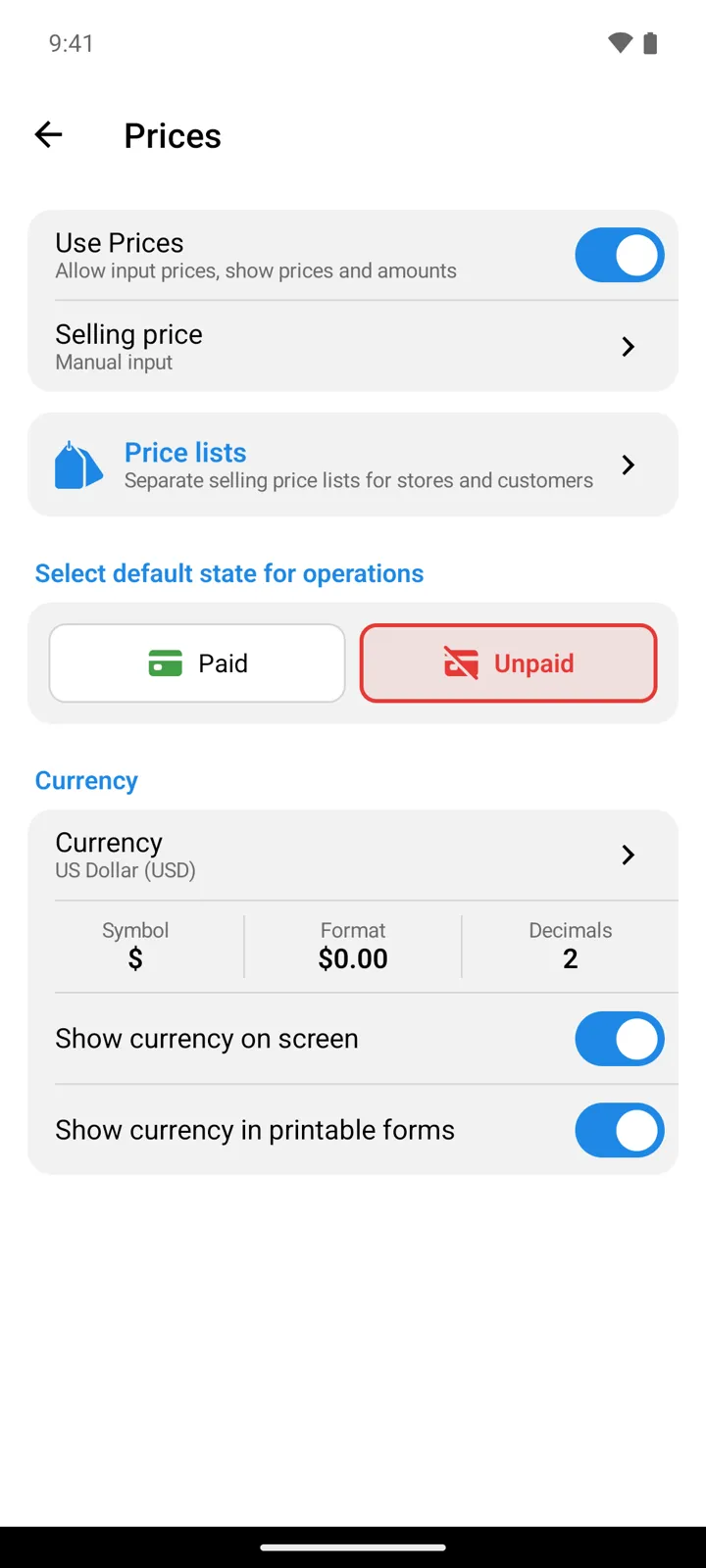
Whether the app tracks money at all, how selling prices come to be, and what the currency looks like.
Prices
Section titled “Prices”| Setting | What it does |
|---|---|
| Use Prices Premium | “Allow input prices, show prices and amounts” — the master switch behind every price field, amount column, and payment state in the app. |
| Selling price | Where an item’s selling price comes from: Manual input · Calculate from purchase price using coefficient (with the Selling price coefficient, e.g. 1.5 for a 50% markup) · Remember last used price from Outgoing operation. |
Below the card, Price lists — “Separate selling price lists for stores and customers” — jumps to the price lists screen.
Select default state for operations
Section titled “Select default state for operations”Paid or Unpaid — the payment state every new operation starts with. It’s Paid until you change it: the first time you change an operation’s payment state, the app asks you to pick this default. Businesses that sell on credit choose Unpaid and mark payments as they arrive.
Currency
Section titled “Currency”| Setting | What it does |
|---|---|
| Currency | Pick a currency: its usual symbol and format fill in automatically (and zero-decimal currencies set Decimals to 0). |
| Symbol / Format / Decimals | The three cells fine-tune the result: the symbol text, where it stands relative to the amount, and how many decimals prices carry. |
| Show currency on screen | Shows the symbol next to amounts in the app. |
| Show currency in printable forms | The same for printed documents. |
Good to know
Section titled “Good to know”- Can’t tap Use Prices? It’s part of the Premium feature set — the row stays off without a subscription — what Premium covers.
- Price decimals here are independent of quantity decimals — those live in Item fields, behind the on Quantity. Use Prices is there too, as a shortcut to this screen.
- In StoDo Online, this screen is shared with the database (owner or admin profile to edit) — and price visibility per teammate is a profile permission, not a setting here.
Still need help? Contact us